47 lines
4.6 KiB
Markdown
47 lines
4.6 KiB
Markdown
|
||
<h1 align="center">微信 Markdown 编辑器</h1>
|
||
|
||
## 项目介绍
|
||
|
||
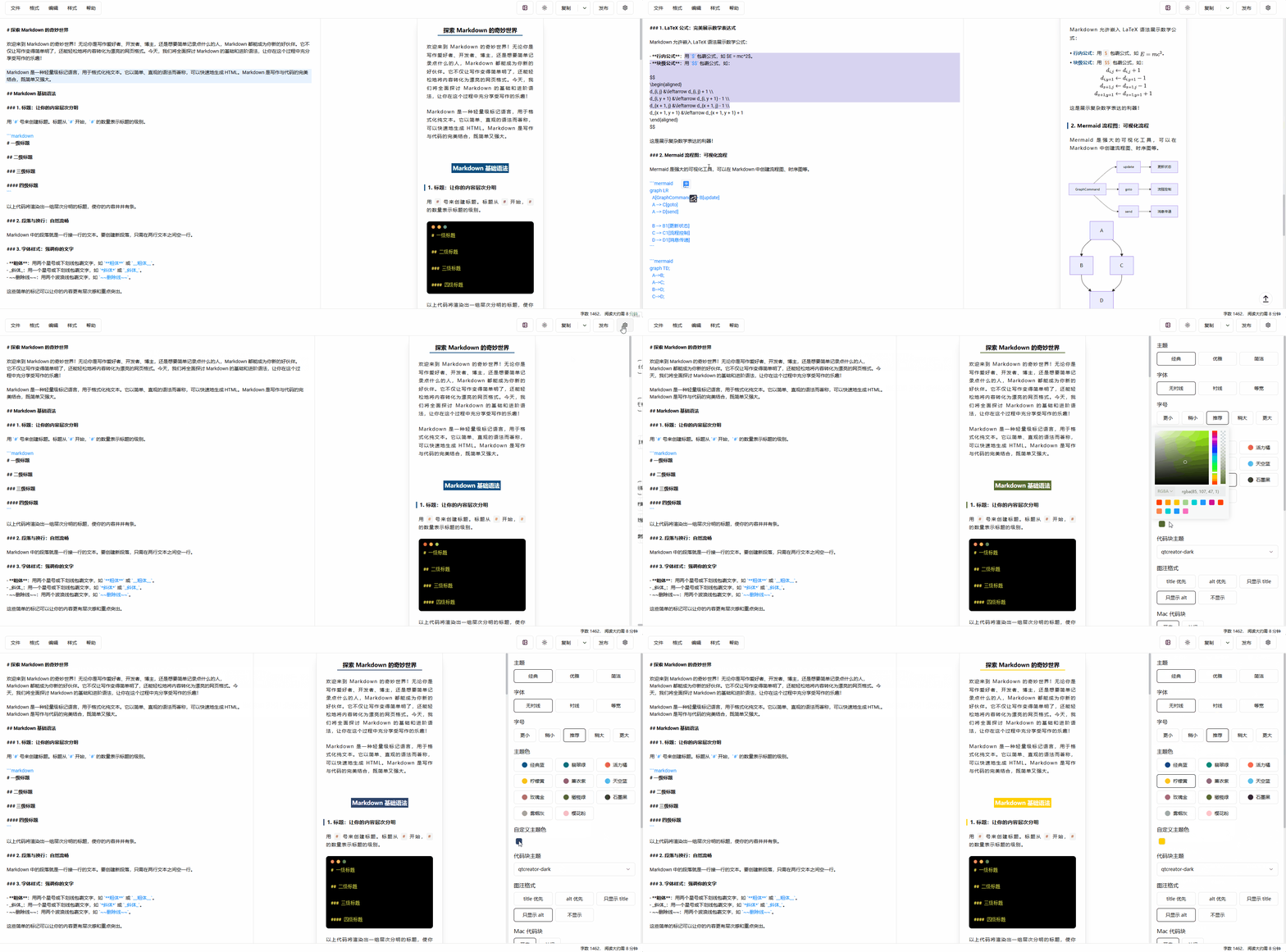
Markdown 文档自动即时渲染为微信图文,让你不再为微信内容排版而发愁!只要你会基本的 Markdown 语法,就能做出一篇样式简洁而又美观大方的微信图文。
|
||
|
||
## 在线编辑器地址
|
||
|
||
- https://doocs.github.io/md
|
||
- [https://doocs-md.pages.dev](https://doocs-md.pages.dev/)
|
||
|
||
注:推荐使用 Chrome 浏览器,效果最佳。
|
||
|
||
## 为何二次开发
|
||
|
||
现有的开源微信 Markdown 编辑器,样式繁杂,也不符合我个人的审美需求。在我使用它们进行内容排版的时候,经常还要自己做一些改动,费时费力,因此动手做了二次开发。
|
||
|
||
欢迎各位朋友随时提交 PR,让这款微信 Markdown 编辑器变得更好!如果你有新的想法,也欢迎在 [Discussions 讨论区](https://github.com/doocs/md/discussions)反馈。
|
||
|
||
注:我们项目最新版本基于 Vue3 开发,基于 Vue2 的旧版本已经不再维护,如果你需要 Vue2 版本,请切换到 [1.x](https://github.com/doocs/md/tree/1.x) 分支。
|
||
|
||
## 功能特性
|
||
|
||
- 支持 Markdown 所有基础语法、数学公式
|
||
- 提供对 Mermaid 图表的渲染和 [GFM 警告块](https://github.com/orgs/community/discussions/16925)的支持
|
||
- 丰富的代码块高亮主题,提升代码可读性
|
||
- 允许自定义主题色和 CSS 样式,灵活定制展示效果
|
||
- 提供多图上传功能,并可自定义配置图床
|
||
- 便捷的文件导入、导出功能,提升工作效率
|
||
- 内置本地内容管理功能,支持草稿自动保存
|
||
|
||
## 目前支持哪些图床
|
||
|
||
| # | 图床 | 使用时是否需要配置 | 备注 |
|
||
| ---- | ------------------------------------------------------ | ------------------------------------------------------------ | ------------------------------------------------------------ |
|
||
| 1 | 默认 | 否 | - |
|
||
| 2 | [GitHub](https://github.com/) | 配置 `Repo`、`Token` 参数 | [如何获取 GitHub token?](https://docs.github.com/en/github/authenticating-to-github/creating-a-personal-access-token) |
|
||
| 3 | [阿里云](https://www.aliyun.com/product/oss) | 配置 `AccessKey ID`、`AccessKey Secret`、`Bucket`、`Region` 参数 | [如何使用阿里云 OSS?](https://help.aliyun.com/document_detail/31883.html) |
|
||
| 4 | [腾讯云](https://cloud.tencent.com/act/pro/cos) | 配置 `SecretId`、`SecretKey`、`Bucket`、`Region` 参数 | [如何使用腾讯云 COS?](https://cloud.tencent.com/document/product/436/38484) |
|
||
| 5 | [七牛云](https://www.qiniu.com/products/kodo) | 配置 `AccessKey`、`SecretKey`、`Bucket`、`Domain`、`Region` 参数 | [如何使用七牛云 Kodo?](https://developer.qiniu.com/kodo) |
|
||
| 6 | [MinIO](https://min.io/) | 配置 `Endpoint`、`Port`、`UseSSL`、`Bucket`、`AccessKey`、`SecretKey` 参数 | [如何使用 MinIO?](http://docs.minio.org.cn/docs/master/) |
|
||
| 7 | [公众号](https://mp.weixin.qq.com/) | 配置 `appID`、`appsecret`、`代理域名` 参数 | [如何获取公众号开发者 ID 密码?](https://developers.weixin.qq.com/doc/offiaccount/Getting_Started/Getting_Started_Guide.html) |
|
||
| 8 | [Cloudflare R2](https://developers.cloudflare.com/r2/) | 配置 `AccountId`、`AccessKey`、`SecretKey`、`Bucket`、`Domain` 参数 | [如何使用 S3 API 操作 R2](https://developers.cloudflare.com/r2/api/s3/api/) |
|
||
| 9 | 自定义上传 | 是 | [如何自定义上传?](https://github.com/doocs/md?tab=readme-ov-file#自定义上传逻辑) |
|
||
|
||
[](https://camo.githubusercontent.com/450296fff3135f915a535118043f5fda4efca1d8310ce85ed6f1afc2d9c5c77e/68747470733a2f2f63646e2d646f6f63732e6f73732d636e2d7368656e7a68656e2e616c6979756e63732e636f6d2f67682f646f6f63732f6d642f696d616765732f64656d6f312e676966) |